EINNAHMEN-ÜBERSCHUSS-RECHNUNG (EÜR) — FOR THE SELF-EMPLOYED
Receipts. EÜR. Done.
Every receipt captured safely in a few seconds — for your Einnahmen-Überschuss-Rechnung. One click at year-end for the tax-advisor package. No more shoebox, no more receipt anxiety.
Coming soon to the App Store
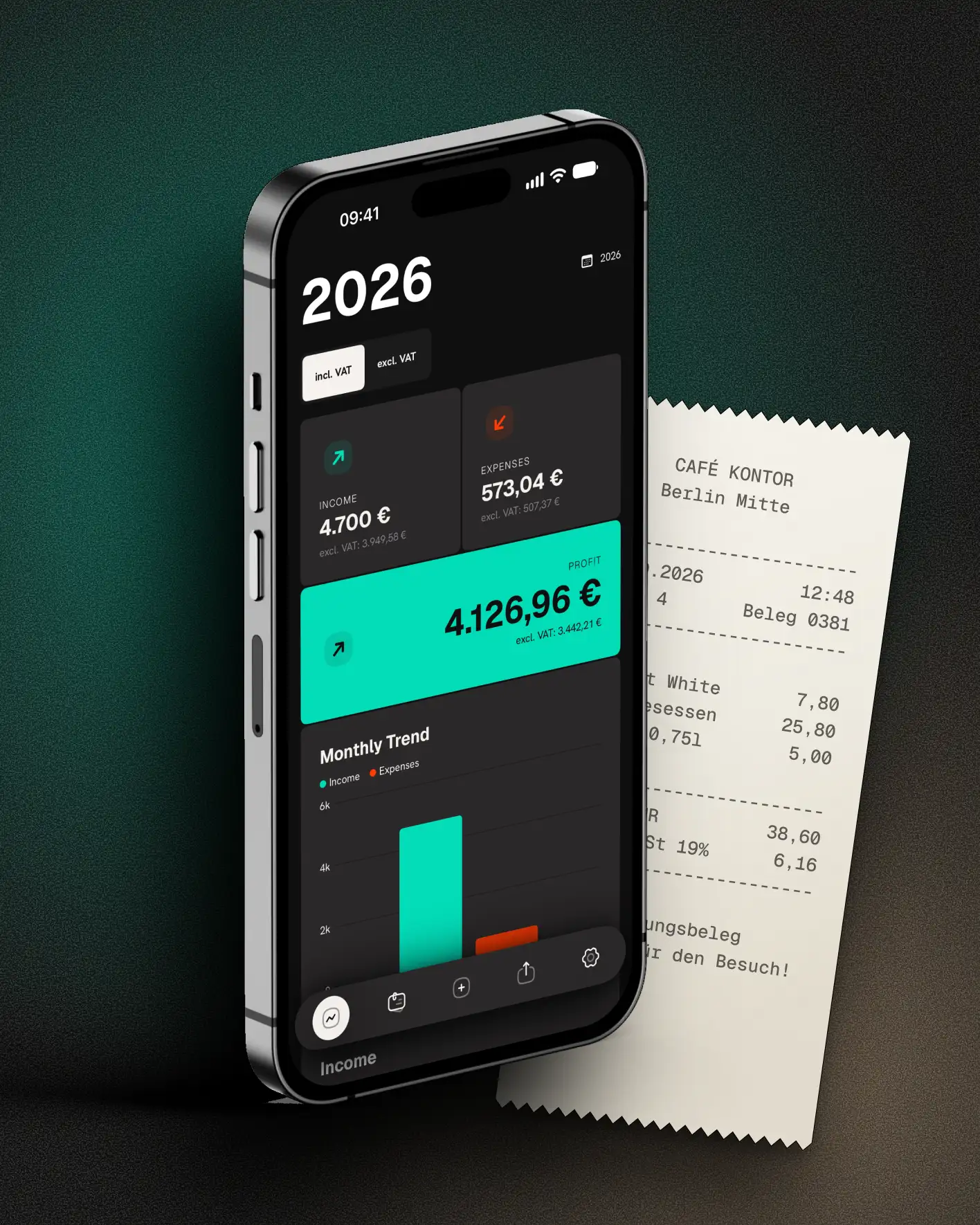
Every lost receipt is real money
Thermal receipts fade, slips vanish in a jacket pocket, invoices stay buried in your inbox. Then April: the shoebox, a lost weekend and that nagging feeling — did I forget something? Will the tax office accept this? Every missing receipt is money you pay too much. And the constant thought: I really should handle this more professionally — but sevDesk and the rest are too much.
Receipt in hand? Photo. Done.
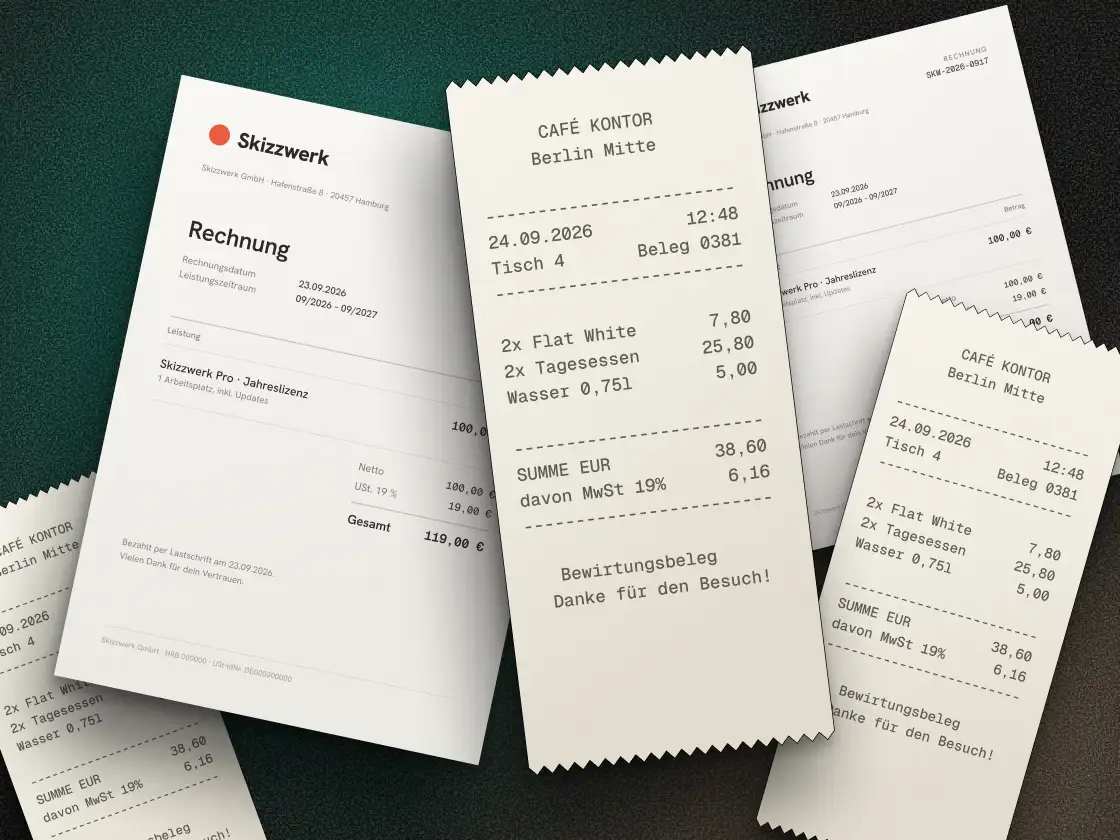
In a few seconds the receipt is stored safely — digital, readable even when the thermal paper fades. You pick the category in two taps; with Apple Intelligence, Quitto suggests it. Foreign-currency receipts from the last 90 days are converted at the ECB reference rate for the receipt date; for older ones you enter the rate yourself. Nothing to retype, nothing gets lost — one tap from the Lock Screen scans, and any old receipt is one search away. Any time, you see income, expenses and profit — month by month, not just for tax.
The no list
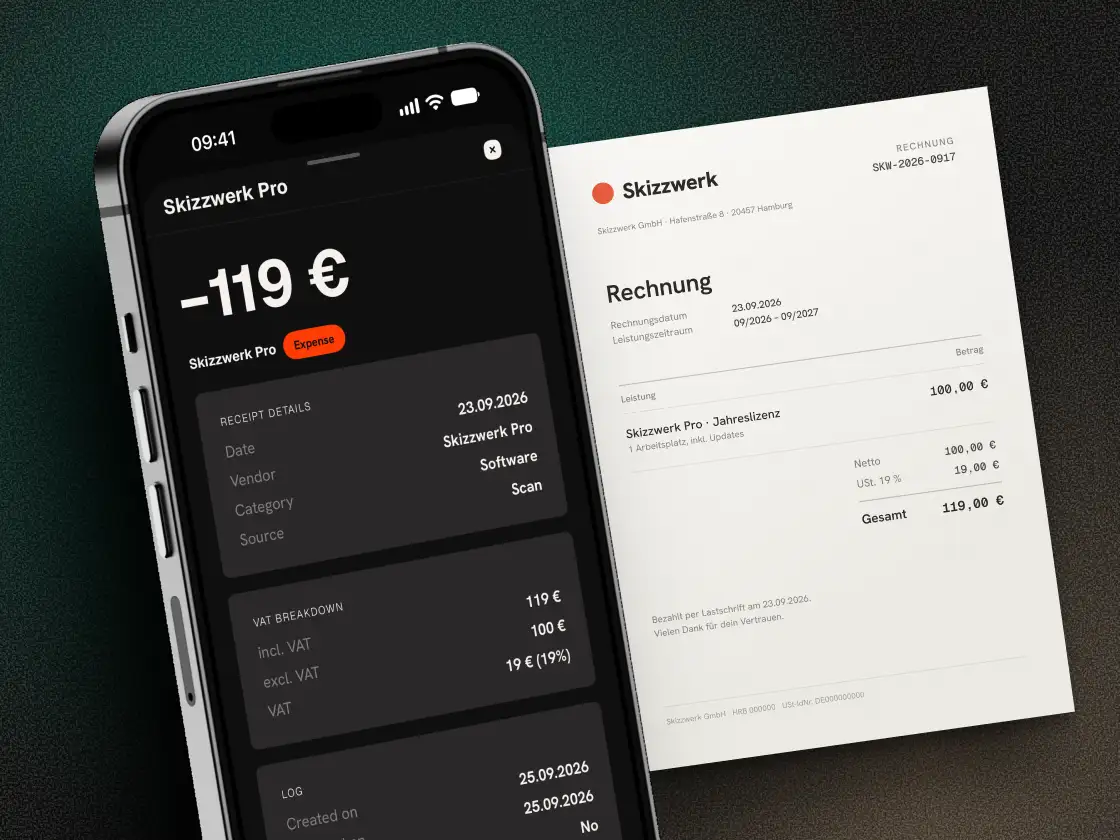
No bookkeeping degree. No subscription for features you'll never use. No account, no servers of our own, no connection to your bank account, no tracking. Quitto collects and sorts receipts — nothing more. Your data stays with you.
Calm when the tax office asks
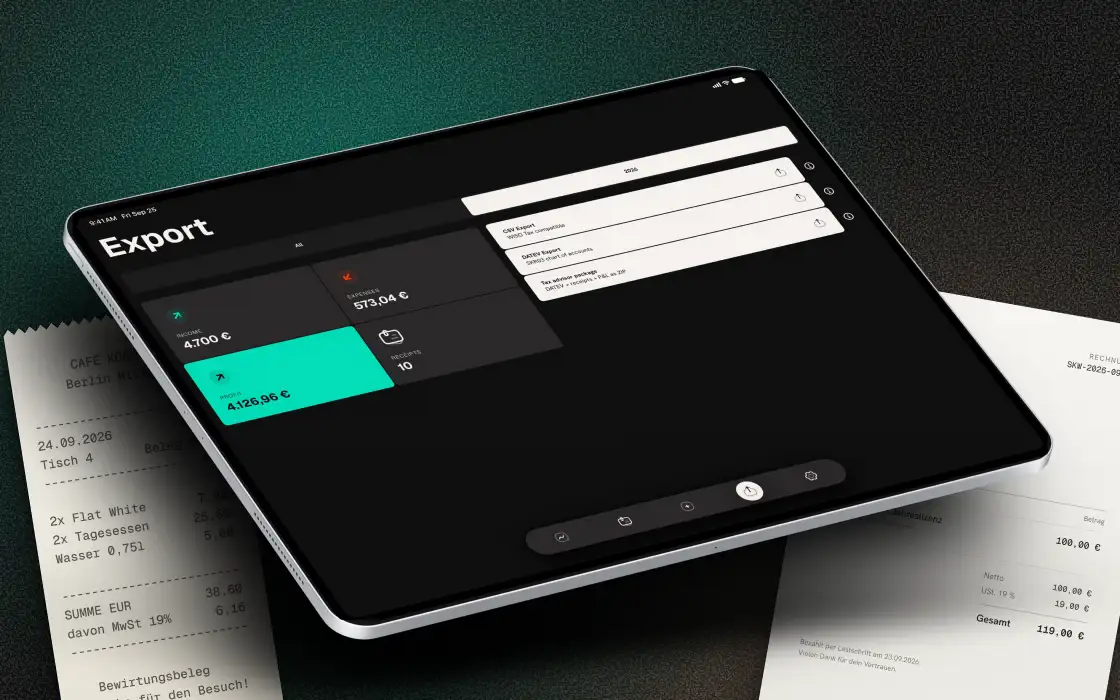
Receipts can be locked: after that they can no longer be deleted from the list; changes to their details need a reason and are logged. At year-end, one click — you pick what you need: a CSV spreadsheet (for Excel, Numbers or tax software), a CSV with DATEV account mapping (SKR03), or the tax-advisor package as a ZIP with a PDF receipt archive and an EÜR overview by category. No lost weekend.
Three receipts free. Then fair — or buy once.
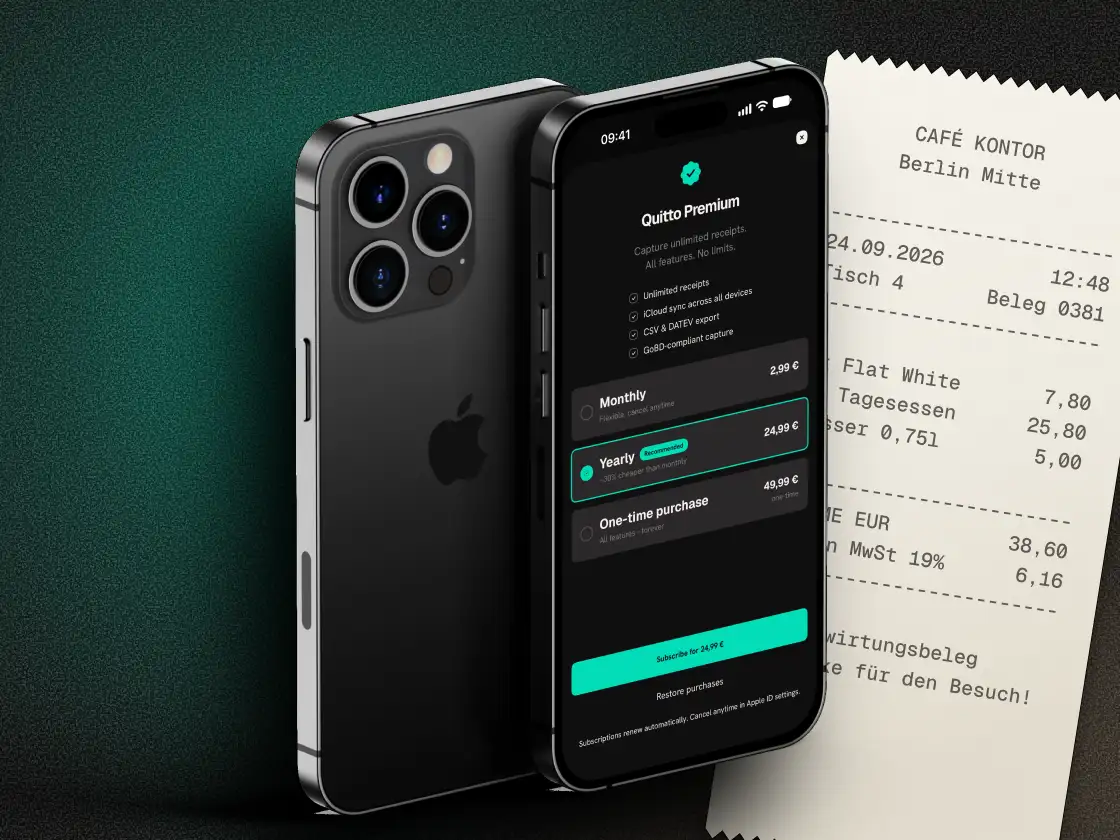
Three receipts free, fully usable, no catch. Then $2.99 a month or $24.99 a year — or $49.99 as a one-time purchase, no subscription. Other tools cost, per their price lists, roughly €240–310 a year in their cheapest plan with receipt capture and EÜR (net of VAT), year after year. You decide: rent or buy once.
HOW SIMPLE IT IS
Three steps. That's it.
- 01
Capture or import
Photograph a slip, or import a photo, PDF or e-invoice. Quitto reads the date, amount and vendor by itself — you don't need to become a bookkeeper.
- 02
Keep the overview
Category picked, done. You see income, expenses and profit any time — month by month.
- 03
Export once
At year-end, one click: the EÜR overview and the PDF receipt archive as a package for your tax advisor.
IN SHORT
What Quitto does
-
No more retyping
Photo of the receipt — Quitto recognises the date, amount and vendor by itself, right on your device. You see straight away what it picked up.
-
Category by itself
On newer iPhones, Quitto suggests the right category after the scan and cleans up the vendor name — right on your device, no cloud. "REWE SAGT DANKE 4421" becomes "REWE".
-
Electronic invoices
Import e-invoices — Quitto reads the data without any retyping.
-
Scan or import
Camera, photo library, PDF from Files, e-invoice — drag & drop on the Mac too. Photos in a batch, PDFs one at a time.
-
Profit at a glance
Income, expenses and profit by month, category and year — your overview, not just for tax.
-
Exports for every need
CSV spreadsheet, CSV with DATEV account mapping, or the tax-advisor package as a ZIP with a PDF receipt archive, a list of missing receipts and the change log — plus an encrypted backup.
-
EÜR categories
Built-in EÜR categories — or add your own. In the export they appear under “Sonstiges”.
-
Lock receipts
Locked receipts can no longer be deleted from the list; changes to their details need a reason and are logged. Certified archival is your tax advisor's part.
-
iPhone, iPad & Mac
Synced through your own iCloud if you want — on all three. Off by default.
-
Duplicate files caught
Import the same file twice and Quitto warns you — before the receipt lands in your EÜR twice.
-
Locked with Face ID
The app only opens after Face ID. Widgets and system search still show amounts.
-
Monthly reminder
If you like, Quitto nudges you at the start of each month to capture your receipts — so the pile never builds up. Fully optional.
-
Receipt via iPhone on the Mac
On the Mac you capture the receipt straight with your iPhone (Continuity Camera).
-
Tax know-how in the app
Short explainers on the EÜR, deadlines and receipts — right where you need them.
-
Reads digital PDFs
Quitto reads digital PDFs from their text. On the Mac use “Open with” or drop one on the Dock icon.
-
Receipts hidden in the app switcher
Anyone glancing over your shoulder sees no amounts there.
FAQ
Three questions. Answered honestly.
- What if a thermal receipt fades or a slip goes missing?
- Photograph it right away — it takes a few seconds. Quitto stores it digitally, readable even when the thermal paper fades. No deductible expense slips away.
- What does the tax office see in an audit?
- Locked receipts can no longer be deleted, and every later data change is logged with a reason. You hand over a traceable package.
- What does Quitto cost?
- Three receipts free, fully usable. Then $2.99 a month, $24.99 a year or $49.99 as a one-time purchase. Nothing hidden.
30-SECOND CHECK
Would this survive an audit?
Tick what's true for you. Honestly — nobody sees this but you.
Quitto helps with that — lock receipts, one click to the tax-advisor package.
DO THE MATH
What does your current tool cost you?
You pay €932 there (net). With Quitto: €49.99 once. You save €882.
Prices: as of October 2026, source: vendor information. List prices net of VAT, each the cheapest plan with receipt capture and EÜR, without new-customer discounts. Quitto: €49.99 including VAT.
WHY QUITTO
Why pay when Excel is free?
Because one forgotten receipt costs you more than a year of Quitto. Excel has no receipt recognition and no tax-advisor export — and at year-end you're back at the shoebox anyway. Quitto costs less than an hour of your time and gives it back many times over.
THE NAME
Why “Quitto”?
Quitto is shaped from the German quittieren — signing off a receipt, done. The Italian ending turns it into a promise: short, round, settled.
START FOR FREE
Three receipts free. No account, no risk.
Coming soon to the App Store